
Choosing the right monitor can completely change how you work, study, design, or play games. A good display reduces eye strain, improves clarity, and boosts productivity. Below is a detailed breakdown of five high-quality monitors suitable for office use, professional tasks, entertainment, and gaming. Each section explains what the monitor is, who it is for, and why it stands out. https://amzn.to/45UfH3J
MSI PRO MP275Q 27-Inch 2K WQHD Monitor – Productivity and Office Power
The MSI PRO MP275Q is built for professionals who spend long hours in front of a screen. It features a 27-inch IPS panel with 2560×1440 WQHD resolution, delivering sharper text, better color accuracy, and wider viewing angles compared to standard Full HD displays. The 100 Hz refresh rate improves smoothness while scrolling documents, browsing, and multitasking.
This monitor focuses strongly on visual comfort. It includes TÜV-certified eye-care technology, low blue light, anti-flicker protection, and an anti-glare surface. These features reduce strain during extended working hours, making it ideal for office staff, students, developers, and content creators.
Color performance is another highlight. With 100% sRGB coverage, strong contrast, and balanced brightness, the screen produces natural and consistent visuals for presentations, editing, and design work. Built-in speakers add convenience for meetings and online classes without needing external audio equipment.
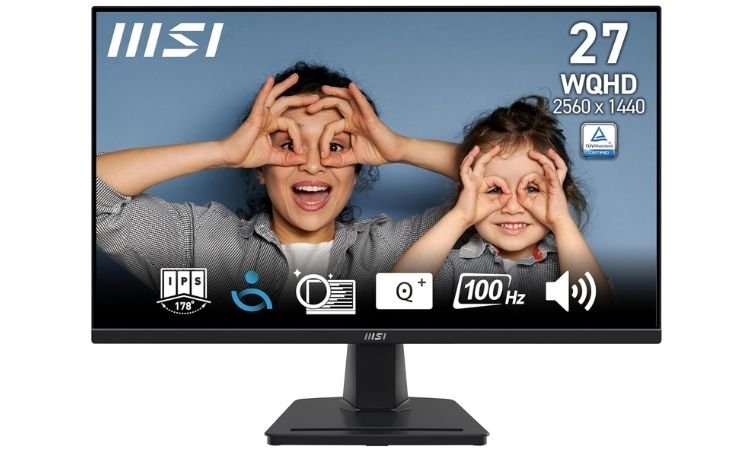
Connectivity options include HDMI and DisplayPort, allowing seamless connection to laptops, desktops, and workstations. The monitor also supports VESA mounting and tilt adjustment, helping users create ergonomic setups.
This model suits professionals who want reliability, comfort, and clarity without shifting into gaming-focused specifications.
BenQ GW2790Q 27-Inch 2K QHD Monitor – Eye Comfort and Professional Color Accuracy
The BenQ GW2790Q is designed for professionals, designers, and users who want accurate visuals and comfortable viewing. Its 27-inch QHD IPS panel offers excellent detail and clarity, making it ideal for office work, coding, and content creation.
This monitor emphasizes eye protection. BenQ integrates Eye-Care technology, brightness intelligence, and special reading modes that adjust display settings based on ambient lighting and content. This helps reduce fatigue during long work sessions.
The 99% sRGB color coverage ensures realistic and vibrant visuals, especially useful for designers, video editors, and digital creators. The 100 Hz refresh rate improves fluidity for everyday tasks and media playback.
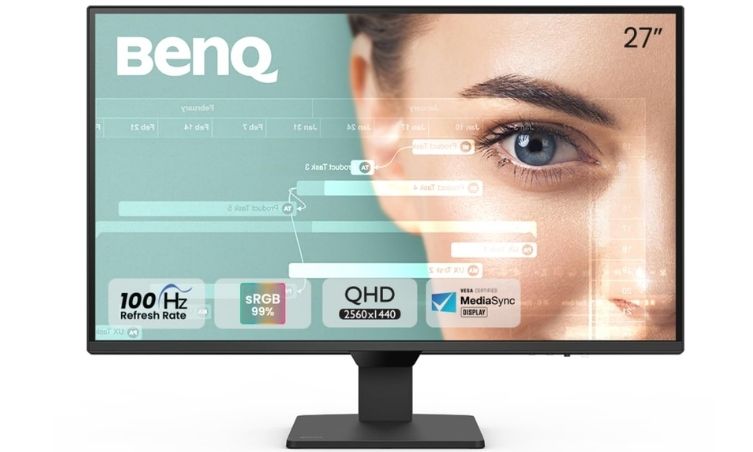
Connectivity is flexible with dual HDMI ports and DisplayPort, enabling easy switching between devices. Additional features like coding mode, ePaper mode, and productivity presets make it versatile for different users.
Overall, this monitor suits professionals who need color precision, comfort, and multitasking efficiency.
Acer Nitro VG270U X1 – High-Performance Gaming and Creative Display
The Acer Nitro VG270U X1 is built for users who want performance along with visual quality. It comes with a 27-inch WQHD IPS display that produces sharp details and wide viewing angles, making it suitable for gaming, streaming, and creative work.
The standout feature is its 200 Hz refresh rate and ultra-fast response time. These features reduce motion blur and provide smooth gameplay, which is crucial for competitive gamers. AMD FreeSync Premium support further eliminates screen tearing and stuttering.
The monitor also supports HDR10 and a wide color gamut, delivering rich visuals and strong contrast for entertainment and media consumption. Built-in speakers, multiple ports, and ergonomic tilt adjustments make it practical for daily use.
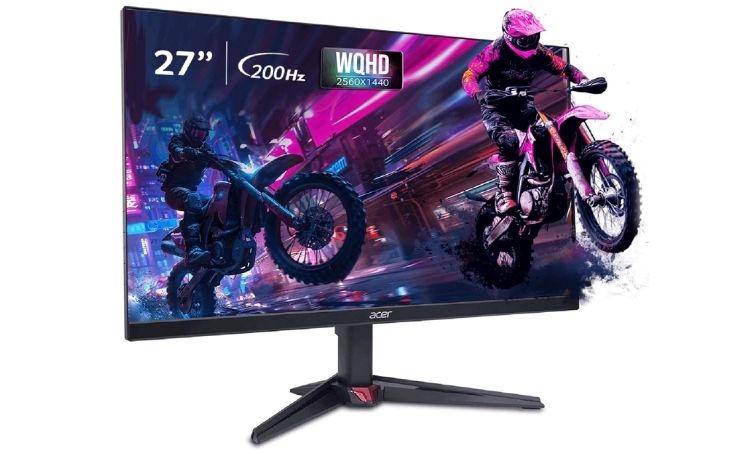
This model is ideal for gamers, streamers, and creators who want speed, visual depth, and reliability in one display.
Dell SE2725HM 27-Inch Monitor – Reliable Everyday Work Display
The Dell SE2725HM is a practical monitor for everyday productivity. It features a 27-inch IPS display with a 100 Hz refresh rate that ensures smoother scrolling and improved viewing comfort compared to traditional 60 Hz screens.
Dell’s ComfortView Plus technology reduces blue light exposure without affecting color quality. This makes it suitable for long hours of work, studying, and browsing. The ultra-thin bezels provide a modern look and improve multi-monitor setups.
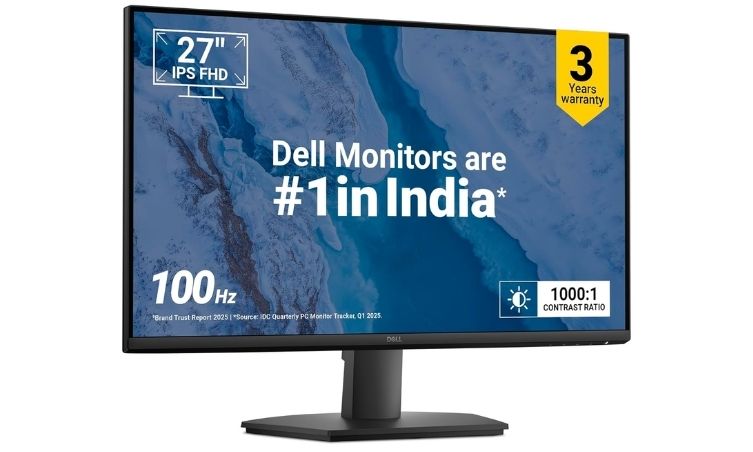
Wide viewing angles ensure consistent visuals from different positions, while tilt adjustment helps maintain ergonomic posture. HDMI and VGA connectivity allow compatibility with both new and older systems.
This monitor is ideal for students, office workers, and home users who want a dependable and comfortable display for daily tasks.
LG 34U511A UltraWide 34-Inch Monitor – Multitasking and Immersive Experience
The LG 34U511A is designed for professionals and creators who need more screen space. Its 34-inch UltraWide display with a 21:9 aspect ratio allows users to manage multiple windows, edit videos, or work on spreadsheets without switching tabs frequently.
The IPS panel delivers accurate colors with sRGB coverage and HDR support, making visuals more dynamic and detailed. A 100 Hz refresh rate ensures smoother performance for work and entertainment.
Ergonomic adjustments such as height, tilt, and swivel improve posture and comfort during extended sessions. Eye-care features reduce strain, and VESA mount compatibility enables flexible setup options.
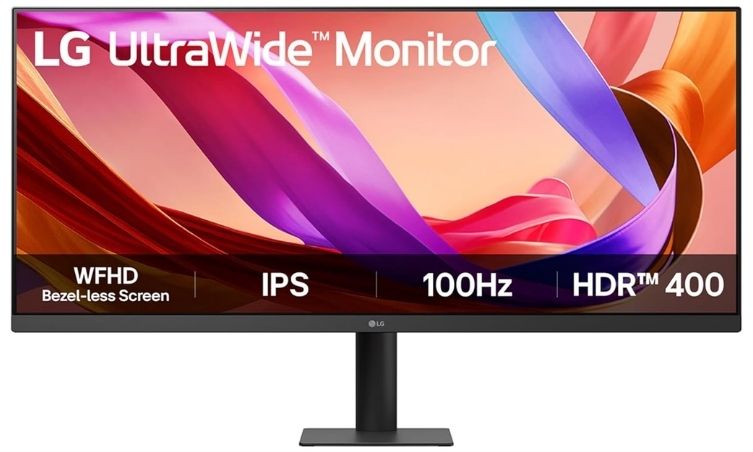
This monitor is perfect for multitasking professionals, video editors, designers, and users who prefer a large immersive display.
Monitor Specification Comparison
| Attribute | MSI PRO MP275Q | BenQ GW2790Q | Acer Nitro VG270U X1 | Dell SE2725HM | LG 34U511A |
|---|---|---|---|---|---|
| Screen Size | 27-inch | 27-inch | 27-inch | 27-inch | 34-inch UltraWide |
| Resolution | 2560×1440 WQHD | 2560×1440 QHD | 2560×1440 WQHD | Full HD | 2560×1080 WFHD |
| Panel Type | IPS | IPS | IPS | IPS | IPS |
| Refresh Rate | 100 Hz | 100 Hz | Up to 200 Hz | 100 Hz | 100 Hz |
| Response Time | — | 5 ms | 0.5 ms | 5 ms | — |
| Eye Care Features | Low blue light, anti-flicker | Eye-Care tech, brightness intelligence | Eye care support | ComfortView Plus | Reader mode, flicker safe |
| Color Coverage | 100% sRGB | 99% sRGB | Wide color gamut | — | sRGB 99% |
| Connectivity | HDMI, DisplayPort | HDMI, DisplayPort | HDMI, DP | HDMI, VGA | HDMI |
| Best For | Office and productivity | Design and professional work | Gaming and creative use | Daily office use | Multitasking and content creation |
If you’re choosing between productivity, gaming, or creative work, your decision should depend on screen size, resolution, refresh rate, and eye-comfort features. Each of these monitors targets a different type of user, so picking the right one can significantly improve your overall experience. Check Price On Amazon.
Also Read: Lenovo IdeaPad Slim 3 AMD Ryzen 5 Laptop – Detailed Review